
Mercedes Me Connect App Easy Startup Guide
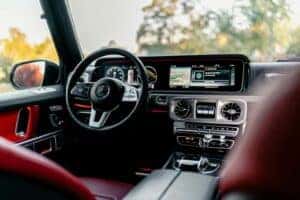
Your Mercedes is more than a car — it’s an experience. The Mercedes me connect app, now called the Mercedes-Benz app, seamlessly syncs with your vehicle, providing convenience, control, and innovation. It simplifies your daily drive with remote engine start and live vehicle tracking while offering peace of mind. Are you ready to unlock the full potential of your Mercedes?
Step-By-Step Guide to Getting Started With the Mercedes me connect App/Mercedes-Benz App
Getting started with the Mercedes me connect app/Mercedes-Benz app is straightforward. First, you’ll need to connect the app to your vehicle, a process that takes minutes, and then you can dive into its features.
- Download the app: If you’re an iPhone user, download the Mercedes-Benz app here. If you’re an Android user, get the app from Google Play.
- Create your Mercedes me account: Open the app and register for a new account. Provide basic details, such as your name, email, and vehicle information.
- Pair your vehicle with the app: Use the app’s pairing process to connect your Mercedes. Either scan the QR code in your car’s multimedia system or manually enter your vehicle identification number.
- Activate Connected Vehicle Services: Follow the on-screen instructions to activate Mercedes me connect app features such as remote start, door lock/unlock, and vehicle location.
- Explore the dashboard: Navigate through the app to explore Mercedes me connect features and customize your settings.
Once you complete these steps, your Mercedes and smartphone will be synced.
In-Depth Exploration of Mercedes me connect Features
The Mercedes me connect app provides advanced tools to enhance your daily drive, including added security, seamless navigation, and remote functions.
Remote Engine Start
Remotely ignite the engine to ensure your vehicle is ready when you are. With an electric vehicle (EV), you can also heat or cool the cabin in advance, keeping the car at the perfect temperature, which is useful during hot summers in Tyler.
Remote Door Lock and Unlock
Have you ever walked away from your car and wondered if you locked it? With the app, you don’t need to worry. You can lock or unlock your Mercedes remotely with a single tap, which is convenient when your hands are full.
Vehicle Location
The vehicle location tool pinpoints your car on a map within seconds. For even quicker identification, you can activate the horn and lights directly through the app.
View Vehicle Status
Curious about your mileage or fuel level? The app provides real-time updates on vital vehicle data, including tire pressure. If you have an EV, you can also monitor its battery charge. Save yourself the guesswork and check everything from your phone before hitting the road.
Navigation Integration
Streamline your travels by sending addresses directly to your Mercedes’ navigation system. No typing, no fumbling — just enter destinations on your phone and let the system do the rest. The app also keeps navigation maps updated via over-the-air downloads.
Digital Vehicle Key
Use your iPhone or Apple Watch as a key for compatible models. With this feature, you can lock, unlock, and even start your car without a physical key.
Mercedes me Charge (for EV Models)
If you have an EV, you can access an integrated network of over 60,000 public charging stations nationwide and review the vehicle’s charging history. At home, you can pair with a Mercedes Wallbox to manage charging sessions directly from the app.
Live Traffic Information
The app delivers real-time traffic updates to help you avoid delays and select faster routes, and you can combine this with weather hazard notifications for a safer and smoother drive.
Service Reminders and Scheduling
Stay on top of routine maintenance with service reminders delivered straight to your phone. Need an oil change or a tire rotation? Use the app to schedule an appointment with Mercedes-Benz of Tyler’s expert service team.
Online Music Streaming
Enjoy integrated online music streaming with the Mercedes-Benz User Experience (MBUX) multimedia system. With MBUX active, you can enjoy your favorite playlists or albums without toggling between devices.
Dashcam Integration
From scenic routes to unexpected events, you can seamlessly record high-quality footage with the app’s built-in dashcam functionality (available in select models).
FAQ: Mercedes me connect
If you’re new to the Mercedes me connect app/Mercedes-Benz app or curious about its features, you’re not alone. Below are answers to some of drivers’ most common questions about this innovative tool.
What Is Mercedes me connect?
Mercedes me connect is now called the Mercedes-Benz app. It links your smartphone to your Mercedes-Benz, providing remote access, real-time updates, and a suite of connected Mercedes me services.
What Does the Mercedes me connect App Do?
The app provides information about mileage and fuel levels and lets you control functions such as remote start, lock/unlock, and vehicle location.
Is My Vehicle Compatible With the Mercedes me connect App?
The Mercedes me connect app/Mercedes-Benz app is available for models starting in 2019 and later. Some 2018 GLE and C-Class vehicles also support it.
How Much Is Mercedes me connect per Year?
Most remote services are free for the first year with eligible models. Afterward, you can purchase continued service through the app or the Mercedes-Benz Store.
Does the App Work With Electric Models?
Yes, the app includes EV-specific features, such as battery monitoring, charging status updates, and access to thousands of public charging stations via Mercedes me Charge.
If you have any questions, please contact our friendly team at Mercedes-Benz of Tyler, Texas.
Maximizing the Potential of Your Mercedes With Mercedes me connect
The Mercedes me connect app/Mercedes-Benz app is your key to a smarter, more convenient driving experience. Ready to enjoy these benefits? Explore our new inventory for the latest models, or browse our selection of preowned vehicles from 2019 and later, all compatible with this powerful app.
0 comment(s) so far on Mercedes Me Connect App Easy Startup Guide